
SUPPORTING SOFTWARES FOR DSC
AS THE EXISTING FIPS 140-2 TOKEN DSC VALIDITY IS EXPIRED ON 21-09-2026, FIPS 140-3 TOKENS ARE IMPLEMENTED FOR BETTER ENHANCED SECURITY PURPOSES. TO RUN A SMOOTH PROGRESS IN THE PORTALS SUCH AS INCOME TAX, GST, E-TENDERS, THE TOKEN DRIVERS AND UTILITIES SHOULD BE UPDATED. THE FOLLOWING ARE THE UTILITIES AND DRIVERS THAT CAN BE USED FOR THE SMOOTH RUN OF THE PROGRESS.
UTILITIES :

Advisory on use of version 3.3 of emSigner
Sep 19th, 2026
This is an advance information to the all users – Taxpayers and Tax Officers, of GST System who use Digital Certificate Signature on the GST Portal.
A new version of emSigner (v3.3) is being made available for download for the purpose of providing compatibility with tokens (USB dongles) that are issued on or after 21-September-2026.
A. Users with valid certificates: There is no change for the users having existing valid digital certificates and their existing token (USB Dongle) are working, as of 21-Sep-2026. If your existing DSC works normally, you may continue using your current emSigner version.
If you encounter signing failures or if your certificate does not appear for selection despite correctly installed token drivers, upgrade to the emSigner version 3.3 by following steps given under point-B below. The emSigner version 3.3 is backward compatible to support the existing tokens (USB dongles).
B. Users with newly issued tokens: The users who have been issued a new token (USB Dongle) on or after 21-Sep-2026, either due to issuance of new certificate and dongle, or renewal of the certificate in a new dongle, shall have to upgrade to version 3.3 of emSigner by following below steps:
Step-1.Please ensure that your system – desktop/laptop / AIO on which the DSC is used for the GST System, meets the following minimum system requirements:
1.1 Operating system and hardware
| Item | Requirement |
|---|---|
| Operating system | Windows 10 or 11 (64-bit); Linux (Ubuntu 18 and above); macOS (10.6 and above) |
| System type | 64-bit operating system |
| Installed RAM | 8 GB and above |
| Storage | 64 GB and above |
1.2 Java
| Item | Requirement |
|---|---|
| Java runtime | Java 1.8 – OpenJDK or Oracle |
| Availability | Java must be pre-installed; it is not bundled with the installer |
| Higher versions | Java 9 and above are not supported |
1.3 Browser
| Browser | Supported version |
|---|---|
| Internet Explorer | 10.0 and above |
| Firefox | 6.0 and above |
| Chrome | 16.0 and above |
| Safari | 6.0 and above |
| Opera | 12.1 and above |
| Microsoft Edge | Since first version |
Step-2.Download & install the version 3.3 of emSigner from the GST Portal by navigating to https://www.gst.gov.in/help/docsigner-the older versions of emSigner will not work for such new DSC dongles issued from 21 September 2026 onwards.
C. Validity and future renewal: Under CCA’s advisory, DSCs downloaded onto FIPS 140-2 dongles on or before 21 September 2026 can continue to be used until the DSC expires. That date does not automatically invalidate existing DSCs. Subsequent renewal or fresh issuance generally requires a FIPS 140-3 dongle, subject to CCA’s specified exceptions. The CCA migration advisory may be referred for more details on this aspect by navigating to https://cca.gov.in/sites/files/pdf/news/Advisory_on_Migration_from_FIPS_140- 2_to_FIPS_140-3.pdf
RESOURCE: https://www.gst.gov.in/newsandupdates/read/672, https://www.gst.gov.in/help/docsigner.
TOKEN DRIVERS
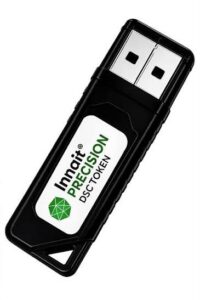
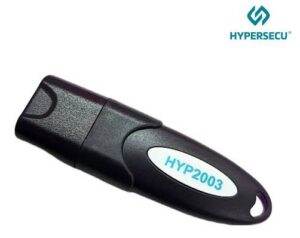
CLICK ON THE BUTTON TO DOWNLOAD THE DRIVER. THE LINK WILL AUTOMATICALLY DOWNLOAD, DETECT THE SYSTEM, AND YOU CAN DOWNLOAD THE DRIVER
THANK YOU
KARTHICK DIGI TECH SALEM
Address
No.1, Chairman Chinnaiah st, Cherry Rd., Salem, Tamil Nadu 636007
karthicklawagencyolo@gmail.com
Phone
+91-9443741820, 7708833112.